
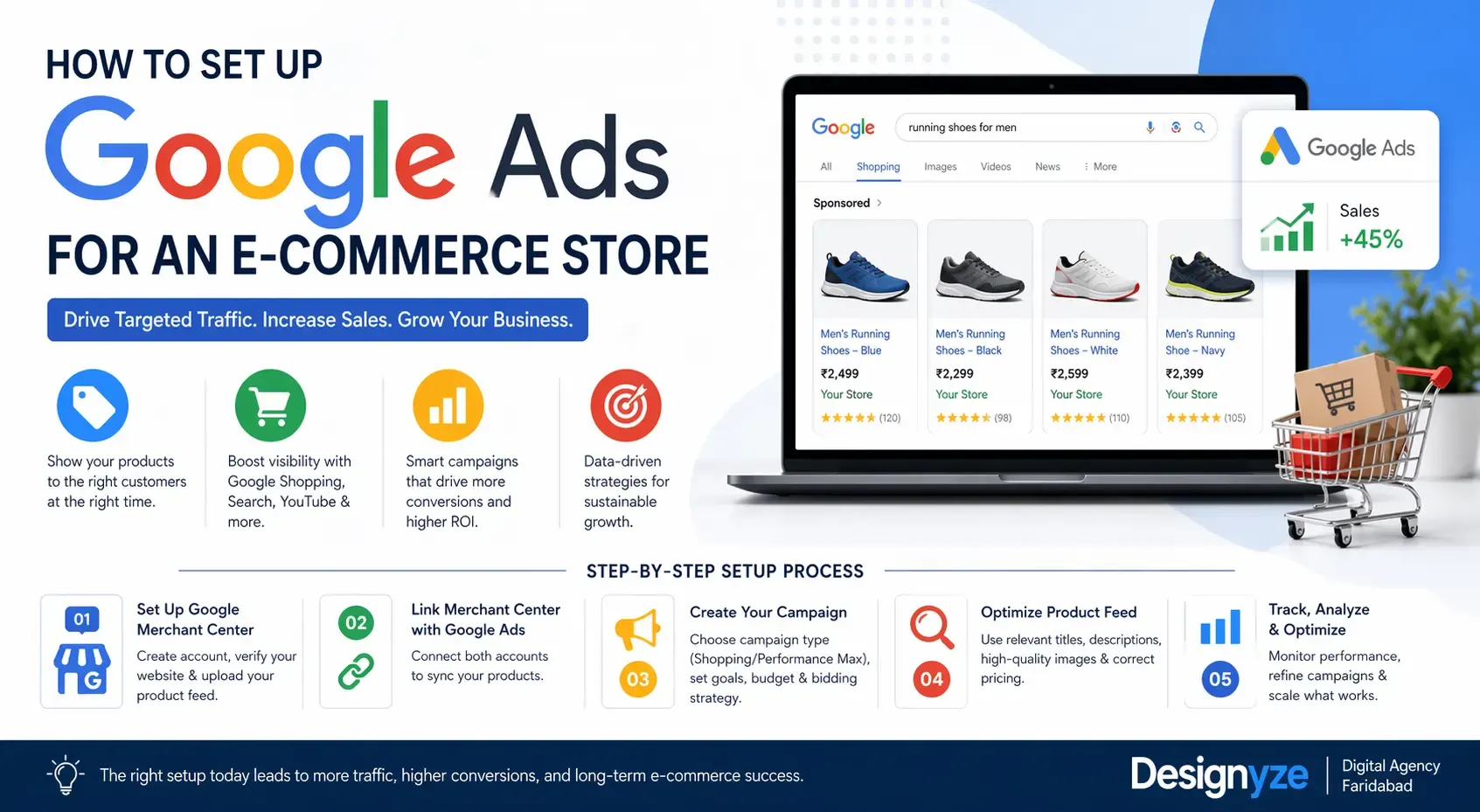
A successful e-commerce store today is not only about getting the undoubtedly best product — but, more importantly: a display. As Google Ads have allowed businesses to target the right audiences at the most appropriate times with millions of products competing online. To drive targeted traffic and increase sales, here is how you can set up Google Ads for an e-commerce store.
Understanding Google Ads for E-commerce
With Google ads, you can promote your products across Google search, Shopping, YouTube & partner sites. The two strongest campaign types available for an e-commerce business are Shopping Ads and Performance Max campaigns. These campaigns are imbued with your product data and create attractive listings such as the ones with aesthetically pleasing images, shows price, and store names automatically.
To begin with, you must have a valid Google Ads account as well as a correctly setup product feed to your google merchant center. This feed is the core of your ads as it tells google what you are selling.
Setting Up Google Merchant Center
Your Merchant Center account must be configured properly before you can start running ads. Use website verification and upload your product feed You must have an accurate title, description, price, availability and good images in this feed.
When you create product data that is optimized, ensure that it contains the relevant keywords, once you upload this data it directly affects your ads in search results. It is one of those steps which most of the e-commerce store owners ignore, but it also comes in the most important factors that accounts for campaign success.
Setting Up Your First Campaign in Google Ads
After linking your Merchant Center to Google Ads, you can begin your first campaign. Performance Max campaigns are best for novices as they automate a lot of the targeting and optimization.
Choose Your Campaign Objective, Sales / Website Traffic The next step is to define your budget and bidding strategy. If you’re unknown, “Maximize Conversion Value” will allow you to get some data in no time.
Now you need to upload creatives, that is image of product, Headline and Description of your business. Based on these basics, Google serves ads not only in search but also in display and YouTube.
Keyword Strategy for E-commerce Ads
Shopping campaigns make little use of good old keyword search intent. High intent keywords that are relevant to your products ; Titles and descriptions of the products you offer should contain such that sync and match exactly what customers have already been searching for.
Instead of using “Shoes”, use a title like “Men Sneakers Running Lightweight Shoes Breathable.” This will give you a better shot of getting into relevant searches.
Plus, launching an individual Search campaign could also boost your Shopping ads. This allows you to go for specific key phrases and catch buyers that are initiated.
Budgeting and Bidding
When learning how to set up Google Ads for an e-commerce store, one of the most important steps is setting a good budget. Begin with a conservative daily budget and scale based on performance. By increasing budgets too quickly this can break learning from campaigns.
If you have enough data, bidding strategies such as Target ROAS (Return on Ad Spend) are the way to go! They assist you in maximizing your revenue and remain profitable.
Conversion Tracking and Optimization
Every campaign needs to have accurate tracking. To measure performance, install the Google Ads conversion tracking tag or connect with something like Google Analytics.
Observe metrics like conversion rate acquisition cost and ROAS. They give you the information needed to optimize into your campaigns over time.
Optimization should be ongoing. Take an action: Let pause on the poorly performing products, increase product title and test new creatives, make bid changes where needed. Ecommerce ads are not a one and done, but mean constant iteration.
Common Mistakes to Avoid
And yet, dozens of businesses get poor setup and waste budget at the same time. An error common is low quality images or horrible data of product. One other counter is overlooking negative keywords in search campaigns, which can result in irrelevant clicks.
Lastly, step away from ads with no tracking or the ivory of analytics The data gives you an insight into what works and what does not — without it, along the way your decisions will be random.
The Role of Strategy and Expertise
Even with the automation that Google Ads provides, strategy still comes into play. Knowing how your audience behaves, where to place products, and how to optimize the funnel can make a huge difference in results.
It helps you avert substantial blunders for businesses that do not possess in-house capabilities. Digital Marketing agencies like Designyze which is based in Faridabad help brands to create campaigns that are ROI driven by generating leads and sales.
Final Thoughts
When it comes to setting up Google Ads for an e-commerce store, they can be quite technical in the beginning, but soon enough if you do it right it will probably become one of your most powerful revenue channels. Whether it be optimizing your product feed, selecting the right type of campaigns or continually refining your strategy — all steps are part of your success.
Get data-driven, maintain optimization cadence and bear in mind the ad-customer intent alignment. Eventually, you will scale traffic up and have yourself an evergreen system that generates e-commerce sales on autopilot.